
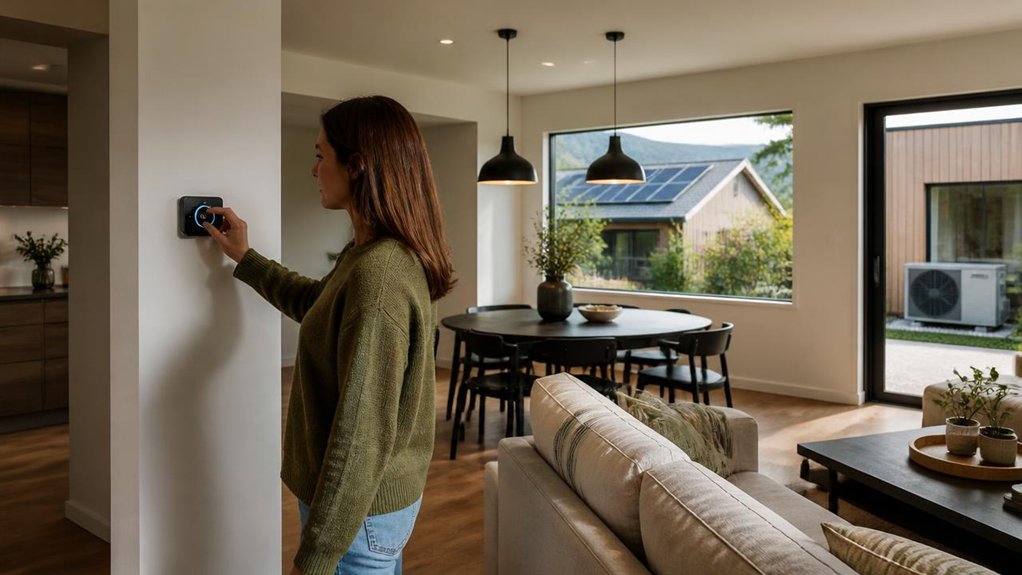
The best smart-home upgrades for lower utility bills depend on what you use, your energy tariff and the equipment you already have. A smart thermostat may reduce heating use if it gives you better control over heating times and temperatures; smart plugs, sensors and monitors can help identify other waste. Savings vary with household habits, device compatibility and installation costs, so check the likely payback before buying.
Smart Thermostats That Cut Heating and Cooling Costs
Typical cost: £100 to £300
Likely saving: Depends on heating use
Payback period: Depends on cost and savings
Best for: Homes with regular routines
Compatibility check: Match thermostat to boiler
Good
- App schedules lower the set temperature while the home is empty.
- Occupancy sensors can adjust heating when they detect nobody at home.
- Energy reports can help identify heating schedules that waste energy.
Not so good
- Savings depend on your current heating schedule and energy use.
- A thermostat may not work with every boiler or heating control.
- Frequent temperature changes can reduce comfort without cutting much energy.
A smart thermostat suits households with regular routines and heating that runs when nobody is home; scheduling can reduce wasted heating and bills.
It’s less useful if you already heat only when needed, or if your system is incompatible, because savings may not cover the purchase cost. Check the thermostat’s compatibility list before buying; savings depend on your home, heating use and tariff.
Best for: Homes with predictable routines
Skip it if: You already use heating efficiently
A competent DIYer can set schedules and connect an app after installation.
Wiring a thermostat to a boiler or mains supply should be done by a qualified installer: use a Gas Safe engineer for gas-boiler work, or an electrician registered with a competent person scheme where required. Check the manufacturer’s instructions and applicable Building Regulations before changing fixed wiring.
Smart Lighting That Reduces Energy Waste
Typical cost: £20 to £100 per room
Best for: Rooms often left empty
Main saving: Less wasted lighting
Payback: Depends on use and tariff
DIY work: Bulb and plug-in controls
Installer: Fixed wiring may need an electrician
Good
- Occupancy sensors can switch lights off in empty rooms.
- Schedules can keep lights off while you’re away or asleep.
- Daylight sensors can dim compatible lights when natural light is available.
- LED bulbs use less electricity than equivalent incandescent bulbs.
Not so good
- Savings are small in rooms where lights are rarely left on.
- Sensors may switch lights off while someone is sitting still.
- Daylight controls need compatible bulbs and careful setup.
- Smart controls add little value if you already switch lights off reliably.
Verdict
Smart lighting suits households that often leave lights on, because automatic shut-off can reduce wasted electricity without changing daily routines.
It’s unlikely to pay back for people who already switch lights off or use little lighting. Costs and savings depend on the number of rooms, existing bulbs, hours of use and electricity tariff; check current prices before buying.
Best for: Busy households with lights left on
Skip it if: You already switch lights off
A competent DIYer can fit compatible bulbs and plug-in controls by following the manufacturer’s instructions.
Fixed wiring should be handled by an electrician registered with a competent person scheme; Part P of the Building Regulations applies to electrical work in England and Wales. I can’t give a reliable payback figure without assumptions about costs, lighting use and your tariff. Put your own figures into our payback calculator.
Smart Plugs That Cut Standby Power
Smart plugs can switch off a TV, games console or speakers on a schedule, cutting standby use without daily unplugging. Check each device’s manual first: some equipment needs constant power to keep settings, record programmes or receive updates.
Good
- A schedule can switch off entertainment devices overnight.
- One command can turn off several compatible plugs.
- Smart plugs avoid daily trips to the wall socket.
Not so good****
- A plug can’t cut standby use while the connected device is on.
- Some devices lose settings or miss updates when power is cut.
- Savings depend on standby draw, off-hours and your electricity tariff.
- A smart plug uses some electricity itself; check its data sheet.
DIY and safety: A competent DIYer can set up a plug in a standard socket and configure its app. Don’t use a smart plug beyond its rated current or with appliances that need uninterrupted power.
Fixed wiring isn’t involved; if an installation requires electrical work, use an electrician registered with a competent person scheme and follow Part P of the Building Regulations.
Verdict: Smart plugs suit households that regularly leave several compatible devices in standby, because schedules can reduce their wasted electricity with little effort.
They aren’t worth buying solely to save money if your devices already use little standby power or you switch them off at the socket.
Best for: TVs and consoles left in standby overnight.
Skip it if: devices need constant power or standby use is low.
Energy Monitors That Find Hidden Electricity Costs
Typical cost: £20 to £300, depending on monitor type
Best for: Homes with unexplained electricity use
Measures: Whole-home use or appliance-level kWh
Main limit: Standby loads may be small
Check before buying: Compatibility with your meter
Payback: Depends on use and electricity price
Good
- Whole-home monitors show electricity use in kW as it changes.
- Appliance monitors can measure a device’s energy use in kWh.
- Readings can help identify equipment that uses power on standby.
- You can compare readings before and after switching a device off.
Not so good
- A monitor doesn’t reduce electricity use by itself.
- Whole-home monitors may not identify which appliance caused a spike.
- Appliance monitors may not suit hard-wired equipment.
- Small standby loads may not justify the monitor’s cost.
A monitor suits households that can use its readings to cut avoidable electricity use; the money case depends on what you find and change.
If you already know which appliances use the most power, or can’t act on the readings, it may not be worth buying.
DIYers can fit a plug-in monitor and many clip-on sensors, following the manufacturer’s instructions.
Work on fixed wiring should be done by an electrician registered with a competent person scheme, in line with Part P of the Building Regulations.
Best for: Finding unknown appliance use
Skip it if: You won’t change your habits
Real-Time Energy Tracking
A real-time energy monitor tracks electricity use in kW and kWh, and may show estimated costs. Readings can help identify when a particular appliance or heating setting increases demand, but they don’t show which device is responsible unless the monitor measures that circuit or appliance separately.
Check whether it measures whole-home use, individual circuits or plug-in devices before buying.
For a useful cost estimate, check the monitor’s tariff settings against your actual unit rates and standing charge. If your supplier uses time-of-use pricing, compare the rates for each period before shifting flexible tasks; a standard monitor won’t reduce your bill by itself.
Alerts and historical charts can help you spot changes, but compare like-for-like days and account for weather, occupancy and appliance use.
Hidden Standby Loads
Hidden standby loads
An energy monitor can show how much electricity devices use while idle. A plug-in monitor measures one appliance; a whole-home monitor tracks your home’s total use, but may not identify which device is drawing power.
Check electronics that stay ready for remote commands, chargers left plugged in and equipment with always-on displays. Compare each device’s idle reading in watts (W) with its active use. Small loads running all day can add to your bill, but switching off a low-power device may save too little to justify buying a monitor.
You can plug in a monitor and switch suitable devices off at the socket yourself. Don’t use a smart plug for equipment that must remain powered, such as a fridge or security system, and check the plug’s rated load before connecting an appliance. Electrical work beyond using plug-in devices should be done by an electrician registered with a competent person scheme, in line with Part P of the Building Regulations in England and Wales.
Good
- A plug-in monitor can measure an individual appliance’s idle power in watts.
- A whole-home monitor can show changes in total household electricity use.
- Switching off suitable standby devices needs no electrical installation work.
Not so good
- A whole-home monitor may not identify which appliance is using electricity.
- Some devices need standby power for timers, updates or remote commands.
- Low idle use may save too little to justify buying a monitor.
Appliance-Level Insights
Appliance-level insights show which devices use the most electricity, but a monitor only helps if you use its readings to make a change. A plug-in monitor can measure a single appliance’s energy use in kWh; check its rating before using it with high-power appliances such as heaters.
Compare readings over similar periods, then multiply the kWh used by your unit rate to estimate the cost. Your actual bill depends on your tariff and how often the appliance runs. For appliances that cycle automatically, such as fridges, measure over several days rather than relying on a short reading.
Try changing one habit at a time, such as running a dishwasher during a cheaper tariff period. This only saves money if your tariff has lower rates at that time and the appliance’s schedule can be shifted. Replacing an older appliance is rarely worth doing on energy use alone unless it’s unusually inefficient, used frequently, and the savings justify the purchase cost.
A competent DIYer can use a plug-in monitor according to its instructions. Don’t open appliances or alter fixed wiring; electrical work must comply with Part P of the Building Regulations and may need a qualified electrician registered with a competent person scheme.
Leak Sensors That Prevent Water Waste
Leak sensors can warn you about water leaks, but they don’t usually save enough on water bills to justify buying them for that reason alone. Their main value is limiting damage if a leak starts while you’re away.
Typical cost: £10 to £50 per sensor
Best for: Homes with leak-prone appliances
Possible saving: Depends on leaks prevented
Payback period: Can’t be estimated reliably
Installation: Usually a DIY task
Good
- Place sensors beside washing machines, water heaters, sinks and toilets.
- Phone alerts can notify you when a sensor detects moisture.
- A compatible shutoff valve can stop the water supply automatically.
- Testing alerts helps confirm the sensor and phone connection work.
Not so good
- A sensor only detects water that reaches its contact points.
- Phone alerts depend on power, connectivity and correct app settings.
- Automatic shutoff valves cost extra and may need a plumber to fit.
- Sensors don’t reduce normal household water use.
A leak sensor suits households that want an early warning and may prevent costly water damage; the financial case depends on the chance and cost of a leak.
Renters and homeowners with no vulnerable appliances or plumbing shouldn’t buy sensors expecting lower routine water bills.
A competent DIYer can place battery-powered sensors and test the app; fitting a shutoff valve may require a plumber. Electrical work must comply with Part P of the Building Regulations where applicable.
Best for: Homes with appliances near vulnerable flooring.
Skip it if: You expect routine water-bill savings.
Smart Irrigation That Saves Water Outdoors
Weather-based irrigation controllers can reduce unnecessary watering by adjusting schedules for rainfall and forecast conditions. Leak alerts can help you spot a broken pipe or faulty sprinkler, but they don’t stop the leak automatically.
A controller is most useful where you water regularly and have a working rain sensor or reliable local weather data. Check that it’s compatible with your existing valves and irrigation system before buying; a controller can’t fix leaks or poor sprinkler coverage.
DIY installation may involve low-voltage wiring, but follow the manufacturer’s instructions and use a qualified electrician for any mains wiring. I can’t give a reliable cost, saving or payback figure without your system, watering use and local water charges.
Good
- A rain sensor can prevent scheduled watering after rainfall.
- Leak alerts can flag unexpected water flow, if the system supports flow monitoring.
- A controller can adjust watering schedules using local weather data.
- App alerts can help you investigate faults sooner.
Not so good
- Weather-based schedules can’t detect every leak.
- Leak alerts may require a compatible flow sensor.
- Poor sensor placement can give misleading readings.
- Savings depend on your current watering habits and local water charges.
Best for: Regularly watered gardens with compatible irrigation equipment
Skip it if: You rarely water or can’t monitor alerts
Weather-Based Watering
Weather-based watering is usually a low-cost way to avoid unnecessary sprinkler use, but savings depend on how much water your garden currently uses and what you pay for it.
A rain sensor can pause a sprinkler after rainfall; a smart irrigation controller can also adjust schedules using local weather data. Check that its forecast service covers your area and that the controller works with your existing valves.
Typical cost: £20 to £200
Best for: Gardens with automatic sprinklers****
Main saving: Less metered water
Payback: Depends on water use
DIY fit: Often straightforward
A rain sensor or controller may be easy to fit, but follow the manufacturer’s wiring instructions and isolate the power first.
Mains electrical work must be done by an electrician registered with a competent person scheme, in line with Part P of the Building Regulations in England and Wales; rules differ across the UK.
Soil moisture sensors can help check whether a bed needs water, but placement and soil type affect readings.
Good
- A rain sensor can stop a scheduled sprinkler cycle after rainfall.
- Weather-based controllers can adjust watering schedules for local conditions.
- Separate zones let you set different schedules for sunny and shaded areas.
- Soil moisture sensors measure conditions near their probes.
Not so good
- Forecast data may not reflect rainfall in your garden.
- Poorly placed sensors can give misleading soil moisture readings.
- A controller can’t fix leaking pipes or badly aimed sprinklers.
- Savings are limited if you already water by hand only when needed.
Before buying, compare the controller’s cost with your current metered water use and the amount you could avoid using.
For example, estimate the litres saved per year, convert that to cubic metres, then multiply by your water and sewerage charges per cubic metre.
Prices and charges vary by supplier and location, so check current figures; without your usage and tariff, a reliable yearly saving or payback can’t be stated.
Weather-based watering suits households with automatic sprinklers that often run during or after rain, because avoiding unnecessary cycles can reduce metered water use.
It’s unlikely to be worth buying a smart controller if you water by hand or already adjust schedules after rainfall.
Best for: Homes with automatic sprinklers and metered water
Skip it if: You water by hand only when needed
Put your own figures into our payback calculator.
Leak Detection Alerts
A smart irrigation controller with flow monitoring can alert you to continuous flow outside scheduled watering times. Check whether the controller can send phone alerts and lets you set a flow threshold; these features vary by model.
A competent DIYer can inspect visible tubing, fittings and valves, and replace parts if the system instructions allow it. Isolate the water supply first.
Use a qualified installer for work that involves mains electrical wiring; electrical work in a home must comply with Part P of the Building Regulations in England and Wales. Rules differ elsewhere in the UK.
Moisture sensors can pause watering when soil is already wet, but placement matters. Put them near plants with high water needs and in low spots where water collects.
Review flow reports to spot unusual use; a flow alert can’t identify the leak’s location, so check the pipework before replacing parts.
Compare Costs, Savings, and Home Fit
Smart controls can reduce energy use, but savings depend on your home, usage and tariff. Compare the device cost with the bill reduction you could reasonably expect; a low-cost upgrade may be better value than an expensive one.
Smart controls can cut energy use, but weigh the likely bill savings against the device cost before buying.
Typical cost: £20 to £300
Yearly saving: £10 to £100
Payback period: 1 to 30 years
Best for: Homes with compatible systems
Check first: Wiring, heating and Wi-Fi
These are broad, indicative ranges, not guaranteed returns. Prices and tariffs change, so check current costs; the figures were correct at the time of writing.
For example, saving 100 kWh a year at 25p per kWh would save about £25. A £50 device would take about two years to pay back: £50 ÷ £25 a year. Your result will vary with usage, unit rate and device cost.
Good
- Smart thermostats can schedule heating when compatible with your boiler or heat pump.
- LED bulbs use less electricity than equivalent incandescent bulbs.
- Leak detectors can alert you to water leaks before they cause damage.
- Smart plugs can measure or switch off some plug-in appliances.
Not so good****
- A thermostat can’t control heating properly if it’s incompatible with your system.
- Savings from lighting depend on bulb wattage, hours used and electricity price.
- A leak detector doesn’t stop a leak unless paired with a shut-off valve.
- Wi-Fi-dependent controls may lose remote functions if your connection fails.
A competent DIYer can fit many smart bulbs, battery-powered leak sensors and plug-in controls, following the manufacturer’s instructions.
Fixed wiring or changes to a heating system may need a qualified installer: use an electrician registered with a competent person scheme for electrical work, and a Gas Safe engineer for work on gas appliances. Check the Building Regulations and the relevant electrical safety requirements before starting.
Verdict
Smart controls suit households that can target high heating or lighting use with compatible devices, because even modest savings can repay a low purchase cost.
Those with low energy use, incompatible heating or costly installation shouldn’t bother unless they need a specific function, such as leak alerts.
Best for: Homes with high controllable energy use
Skip it if: The system is incompatible or savings are small
Put your own figures into our payback calculator.
Frequently Asked Questions
Do Smart Home Upgrades Qualify for Federal Tax Credits or Local Rebates?
Federal energy tax credits are US schemes, not UK support. In the UK, check GOV.UK, Ofgem and your local council or energy supplier for current grants and rebates; eligibility depends on the measure, property and household circumstances. Check the rules before buying, and keep quotes, invoices and installation certificates.
Can Renters Install Smart Home Devices Without Modifying the Property?
Smart plugs, battery-powered sensors and battery-operated lights usually need no drilling or wiring. A competent DIYer can set up these portable devices, but check your tenancy agreement before attaching anything with adhesive or screws.
Do not alter fixed wiring or heating controls without your landlord’s written permission. Electrical work that changes fixed wiring should be done by an electrician registered with a competent person scheme; gas work must be done by a Gas Safe engineer. For a fixed renewable-energy system, use an MCS-certified installer.
How Can I Protect Smart Home Devices From Hacking?
Use a unique router password, enable WPA2 or WPA3 encryption, and put smart devices on a guest network if your router supports it. Change each device’s default password, install updates promptly and enable multifactor authentication where available. Turn off remote access, cameras, microphones or other features you do not use.
A competent DIYer can change router settings and device passwords by following the manufacturers’ instructions. These security steps do not normally require an electrician, Gas Safe engineer or MCS-certified installer.
Do Smart Home Devices Work During Internet Outages?
Local control: Keeps some routines running
Internet-dependent: Remote access and cloud services stop
Backup power: Protects the hub and router
Best for: Devices with local automation
Check first: Hub and device requirements
How Do I Choose a Smart Home Platform That Works With My Existing Devices?
List your devices, then check each manufacturer’s website for supported platforms. Confirm that the specific model works with your chosen hub or app; support can vary between products from the same brand.
Choose a platform that supports the devices and features you need, such as heating schedules or energy monitoring. Check whether it needs a paid subscription or a new hub, as those costs can outweigh the benefit of connecting older devices.