
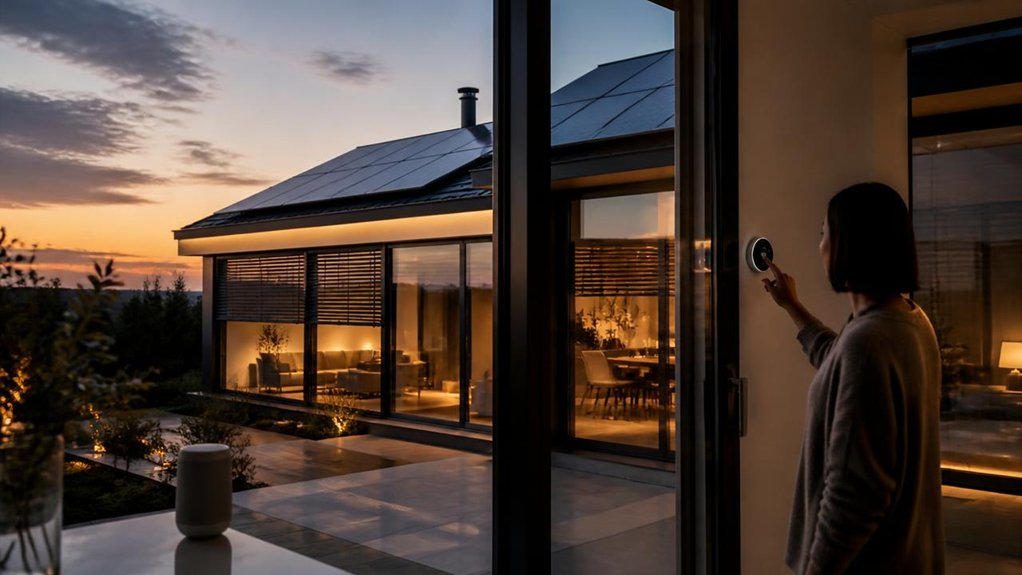
Smart controls can reduce heating, lighting and appliance use, but savings depend on your home, equipment and routine. Check that a thermostat works with your boiler or heat pump, and that smart plugs match the appliance’s load. A timer or heating schedule may be enough; a full smart-home system is not worth the extra cost if it automates devices you rarely use.
Typical cost: £20 to £300, depending on devices
Best for: Homes with regular routines
Main saving: Less avoidable heating use
Check first: Boiler and device compatibility
DIY scope: Plugs and sensors, where safe
Good
- A thermostat can lower heating when the home is empty.
- Motion sensors can switch off lights in unused rooms.
- Smart plugs can schedule compatible appliances.
- Heating schedules can avoid warming rooms when they are not needed.
Not so good
- Savings vary with household routines and existing controls.
- A smart plug cannot safely control every high-load appliance.
- Some thermostats need compatible wiring or a separate receiver.
- Buying devices without estimating savings can make payback poor.
A smart thermostat suits households with predictable routines and heating that is often left on unnecessarily; lower energy use can reduce bills. It is less useful if you already use effective heating schedules or rarely heat an empty home. A competent DIYer can set up compatible plug-in devices, but fixed wiring should be handled by an electrician registered with a competent person scheme. Gas boiler work must be done by a Gas Safe engineer; heat-pump installation requires an MCS-certified installer.
Best for: Homes with avoidable heating use
Skip it if: Existing controls already match your routine
How Smart Homes Save Energy
Smart heating controls and connected lights can reduce wasted energy, but savings depend on your home, routines and existing controls. A smart thermostat can’t fix poor insulation, and lights that are already switched off when rooms are empty will save little.
Smart controls can reduce wasted energy, but savings depend on your home, habits and existing systems.
Typical cost: £100 to £300 for controls
Best for: Homes with regular heating routines
DIY tasks: Set schedules and monitor use
Installer tasks: Electrical work and boiler changes
Payback factors: Heating use and controls
Good
- A smart thermostat can lower heating when the home is empty.
- Room sensors can switch connected lights off when nobody is present.
- Smart plugs can show how much electricity a connected appliance uses.
- Timed controls can shift appliance use to periods of solar generation.
Not so good
- Savings are small if you already use heating schedules.
- Occupancy sensors may not suit rooms where people sit still.
- Smart controls can’t make an inefficient boiler more efficient.
- Solar-aware appliance scheduling saves little without surplus solar generation.
Smart controls suit households that leave heating or lighting on unnecessarily, because reducing paid energy use can offset the purchase cost. They’re unlikely to pay back quickly if you already manage heating carefully or use little energy.
Costs and savings depend on the controls, energy use and tariff; check current prices and any grant eligibility before buying. DIYers can set schedules and pair compatible devices, but fixed electrical work must be done by an electrician registered with a competent person scheme; boiler work must be done by a Gas Safe engineer. Solar installations should use an MCS-certified installer. Put your own figures into our payback calculator.
Best for: Homes with avoidable heating waste
Skip it if: Existing controls already match your routine
Use Smart Thermostats to Cut HVAC Waste
Typical cost: £100 to £300
Best for: Homes with regular routines
Main saving: Less heating when away
Control options: Schedules, sensors or location
Payback: Depends on heating use
Good
- Schedules can lower heating while you’re out or asleep.
- Some models use occupancy sensors or phone location to detect when you’re home.
- Energy reports can help identify schedules that waste heat.
- Gradual temperature changes avoid large swings in heating demand.
Not so good
- Savings depend on your current controls, heating use and daily routine.
- Phone location may not reflect whether someone else is at home.
- Sensors can miss occupants or detect people in the wrong room.
- A smart thermostat may not suit every boiler or heating system.
A smart thermostat may suit households that regularly leave heating on in empty rooms, because schedules or occupancy controls can reduce wasted heating.
It’s less worthwhile if you already use effective timed controls or are home at similar times each day. A thermostat doesn’t guarantee a bill saving; the result depends on your existing settings, heating use and energy tariff.
Best for: Homes with predictable periods away
Skip it if: Existing controls already match your routine
A competent DIYer can set schedules and adjust temperature settings. Check compatibility before buying; wiring a thermostat to a boiler or mains supply may require a qualified electrician registered with a competent person scheme or a Gas Safe engineer, depending on the work.
For heat-pump installations, use an MCS-certified installer. Follow the manufacturer’s instructions and applicable Building Regulations.
Automate Lights in Empty Rooms
Motion sensors can switch lights on when someone enters and off after the room is empty. They suit hallways, bathrooms and other rooms used briefly, but the saving depends on how often lights are left on and the lamps’ wattage.
A competent DIYer can fit battery-powered, plug-in sensors or compatible smart bulbs by following the manufacturer’s instructions. Have a qualified electrician registered with a competent person scheme install or alter fixed mains wiring; electrical work in England and Wales must comply with Part P of the Building Regulations.
Typical cost: £10 to £50 per sensor
Best for: Rooms where lights are often left on
Main saving: Electricity used by unnecessary lighting
Payback: Depends on usage and electricity tariff
Good
- A sensor can switch lights off after a set period without movement.
- A short timeout reduces the time lights stay on in an empty room.
- Smart bulbs can work with compatible room sensors.
- Battery-powered sensors avoid changes to fixed mains wiring.
Not so good
- Sensors may switch lights off while someone sits still.
- Pets or movement outside the room can trigger some sensors.
- Compatibility varies between sensors, bulbs and smart-home systems.
- Savings may be small if lights are already switched off promptly.
Motion sensors suit households that often leave lights on in empty rooms, because they can reduce wasted electricity without changing lighting habits.
They’re less worthwhile where people already switch lights off, or where lights are low-wattage LEDs used for short periods, since the saving may not cover the equipment cost.
Best for: Hallways and rooms with frequent forgotten lights
Skip it if: Lights are rarely left on or sensors are incompatible.
Run Smart Appliances at Efficient Times
Off-peak scheduling is useful only if your electricity tariff has cheaper hours and your appliance can run safely while you’re asleep or out. Check your supplier’s current tariff and the appliance manual: off-peak periods vary by tariff and may change.
Set the washing machine, dishwasher or water heater to run during your tariff’s cheaper period. Stagger high-power appliances rather than starting several together; this can reduce the household’s peak demand, but it won’t necessarily lower your bill unless your tariff charges less at that time or for lower peak demand.
There is usually no separate upgrade cost if your appliances already have a delay-start function. Check the manual before using it, and don’t run appliances unattended if the manufacturer advises against it.
A competent DIYer can set appliance timers and schedules. Any new fixed wiring or electrical circuit should be installed by an electrician registered with a competent person scheme, in line with Part P of the Building Regulations in England and Wales.
Choose Devices That Work Together
Check that smart plugs, thermostats, lights and sensors use a hub, app or standard your existing system supports. Read the manufacturer’s compatibility list before buying; products that can’t communicate may need separate controls or may not work as intended.
A smart-home hub or app can help you monitor energy use, but it doesn’t guarantee lower bills. Check what each device measures and controls, and compare its cost with the likely savings.
For example, a smart plug is unlikely to pay back if it only monitors a low-use appliance.
Good
- Check each device’s compatibility list before purchase.
- Confirm whether it needs a hub or works over Wi-Fi.
- Check which appliances the device can control or monitor.
Not so good
- Separate apps can make monitoring less convenient.
- A compatible device doesn’t guarantee energy savings.
- Extra hubs can add cost and use electricity.
DIYers can usually pair compatible devices and set up an app by following the manufacturer’s instructions. Mains wiring or changes to a heating system may need a qualified electrician registered with a competent person scheme or a Gas Safe engineer; check the relevant requirements before work starts.
Put your own figures into our payback calculator.
Set Up Energy-Saving Routines
Good
- A programmable thermostat can reduce heating while the home is empty or everyone is asleep.
- Smart plugs can switch off compatible devices left on standby.
- Schedules are useful when household routines are regular.
- You can change settings if your routine or comfort needs change.
Not so good
- Savings depend on your heating system, schedule and energy tariff.
- A thermostat can’t save much if heating is already off when rooms are empty.
- Smart plugs don’t cut the energy used by devices that are already switched off.
- Some heating controls need professional installation and system-specific checks.
A competent DIYer can set schedules on existing smart controls and use plug-in smart plugs, following the manufacturers’ instructions.
Fixed wiring or changes to a boiler’s electrical connections should be done by an electrician registered with a competent person scheme; gas work must be done by a Gas Safe registered engineer. Electrical work in England and Wales must comply with Part P of the Building Regulations where it applies.
Verdict: Programmable heating controls suit households with regular routines, because reducing heating when rooms are empty can lower bills. Smart plugs are less worthwhile if few devices draw standby power or if switching them off disrupts updates or timers.
Savings depend on the heat source, existing controls, usage and tariff, so check your bills and device instructions before buying.
Best for: Homes with predictable heating schedules.
Skip it if: Heating is already off when rooms are empty.
Automate Thermostat Schedules
Weekday schedules can reduce heating while the home is empty, then bring rooms back to the set temperature before you return. Set the heating times and temperatures to match your routine; avoid heating unused rooms unless they need protection from damp or frost.
Use separate weekend settings if you’re home at different times. Change the schedule when your routine or the season changes, and use a temporary hold when plans differ for a day.
Check your thermostat’s energy reports, but treat them as estimates rather than proof of savings. The result depends on your previous heating schedule, home insulation, heating system and tariff, so there’s no reliable saving or payback figure without those details.
A competent DIYer can usually change settings in the thermostat app or controls. Installing or rewiring a mains-powered thermostat is different: use an electrician registered with a competent person scheme, or a Gas Safe engineer if the work involves a gas boiler.
For a heat pump, check requirements with the manufacturer or installer; MCS certification applies to certified installations, not routine schedule changes. Check current guidance and any warranty conditions before altering wiring.
Put your own figures into our payback calculator.
Turn Off Idle Devices
Smart plugs can switch off TVs, game consoles and chargers when you leave home or go to bed. They may reduce standby electricity use, but the saving depends on each device’s power draw and how long it stays idle.
Check the device’s instructions before cutting power. Some equipment needs a continuous supply for updates, timers or safe operation. Keep essential devices connected, and group suitable electronics by room or purpose to make routines easier to manage.
A competent DIYer can set up routines using plug-in smart plugs and the manufacturer’s app. Don’t use a smart plug if its current rating is below the appliance’s requirements; a qualified electrician registered with a competent person scheme should handle any fixed wiring.
To estimate savings, measure standby use in kW and multiply by the hours switched off each year, then by your electricity unit rate in £/kWh. For example: annual saving = standby power in kW × hours off × unit rate.
Payback depends on the smart plug’s cost, actual standby use and tariff, so it may not be worthwhile for devices with very low standby consumption. Put your own figures into our payback calculator.
Track Smart Home Energy Savings
Track energy use in kWh, not just the bill total. Use your smart meter’s in-home display, your supplier’s online account or a plug-in energy monitor for individual appliances. A smart meter records whole-home electricity use; it won’t show which device caused a change.
Before changing schedules or adding automation, record daily kWh for at least a few weeks. Repeat after the change, comparing similar periods and noting differences in weather, occupancy and appliance use.
For heating, record gas as well as electricity where relevant: a smart thermostat may change gas consumption without much effect on electricity use.
Calculate the difference in kWh per day, then multiply by the number of days in a year and your unit rate. For example, a measured reduction of 0.5 kWh a day would mean about 183 kWh a year; multiply that by your electricity price to estimate the bill saving.
This assumes the reduction continues all year, so seasonal heating changes can make the estimate unreliable.
Check the meter readings and tariff details before comparing bills. Standing charges and unit rates can change, so a lower bill doesn’t necessarily mean lower energy use. Keep a log of readings and automation settings; if a routine saves little or makes the home less comfortable, it may not be worth keeping.
DIY monitoring with a smart meter display or plug-in monitor is straightforward. Don’t open a meter or alter fixed wiring; electrical work must comply with Part P of the Building Regulations in England and Wales and may need a registered electrician. Put your own figures into our payback calculator.
Fix Common Setup and Energy-Use Problems
When a smart-home routine misfires, check its schedule, device settings and sensor triggers before changing anything else. Make sure the clock, time zone and occupancy settings match how the home is used.
For connection problems, check the router, signal strength and device batteries first. Reconnect a device only if these checks don’t solve the problem. A competent DIYer can change routine settings and replace batteries; electrical work must be done by an electrician registered with a competent person scheme. Work on gas heating needs a Gas Safe engineer.
If lights or heating run for too long, adjust the automation rules and check them at different times. Review energy reports for devices that use power while idle. Smart plugs or power strips may reduce standby use, but don’t use them for equipment that needs a continuous supply for updates or safety monitoring. Check the manufacturer’s instructions before switching off a device.
The cost and payback of smart controls depend on the equipment, household use and electricity tariff. Don’t assume a smart plug will save money: the saving may be too small to outweigh its purchase cost. Check current prices and tariffs, then compare the cost with the likely yearly saving. Recheck settings and energy use after changes.
Good
- Check the time zone and schedule when routines run at the wrong time.
- Check sensor settings when a routine fails to trigger.
- Review energy reports for devices drawing power while idle.
- Check manufacturer instructions before cutting power to connected equipment.
Not so good
- Reconnecting devices before checking router signal may not fix the fault.
- Smart plugs may cost more than the standby energy they save.
- Switching off monitored equipment can interrupt safety functions.
- Changing several settings at once makes faults harder to trace.
Verdict: Smart-home checks suit households with routines that waste energy, because correcting settings can avoid unnecessary heating or lighting use. People whose devices already run only when needed shouldn’t buy extra controls without checking likely savings against the purchase cost.
Best for: Homes with misfiring routines
Skip it if: Existing settings already work well
Frequently Asked Questions
Can Renters Use Home Automation to Improve Energy Efficiency Without Permanent Changes?
Portable smart thermostats, renter-friendly window sensors, smart plugs and LED bulbs can reduce energy use without permanent changes. Check that each device suits your heating system and can be removed without damaging walls, wiring or window frames.
A competent DIYer can fit plug-in devices and replace accessible bulbs, provided the fittings match. Do not alter fixed wiring or a boiler’s gas connections; use an electrician registered with a competent person scheme for electrical work and a Gas Safe engineer for gas work. Check your tenancy agreement before making changes.
Good
- Smart plugs can switch off compatible appliances when they are not needed.
- LED bulbs use less electricity than equivalent incandescent bulbs.
- Window sensors can alert you when a window is open.
- Removable devices can move with you.
Not so good
- A smart thermostat may not work with every boiler or heating system.
- Smart plugs cannot safely control every high-power appliance.
- Sensors do not draughtproof a window or reduce heat loss by themselves.
- Savings depend on your current energy use and how you use each device.
Verdict: This suits renters who can use compatible plug-in controls and LEDs to cut avoidable electricity use without altering the property. Renters with efficient appliances and little avoidable use should not bother buying several smart devices, because the savings may not repay their cost.
Best for: Renters with compatible heating and appliances
Skip it if: Devices cost more than likely savings
Are Smart Home Energy Devices Secure From Hacking and Privacy Risks?
Smart home energy devices can expose your home network and personal data if you leave them poorly secured. Use a unique password, turn on available encryption, limit app permissions and install software updates; check the manufacturer’s privacy settings before connecting the device.
What Is the Typical Upfront Cost of an Energy-Efficient Smart Home Setup?
Typical cost: £500 to £2,000
Installation: £100 to £500
Best for: Homes with compatible heating controls
DIY tasks: Fit battery-powered sensors
Qualified work: Mains wiring and boiler controls
Good
- Smart thermostats can schedule heating around occupancy.
- Smart plugs can measure or switch compatible appliances.
- Battery-powered sensors usually avoid electrical wiring.
- App controls can help spot heating schedules that waste energy.
Not so good
- A smart thermostat may not work with every boiler or heating system.
- Standby-saving smart plugs cannot cut an appliance’s energy use while it is running.
- Professional installation adds to the upfront cost.
- Savings depend on existing controls, household routines and heating use.
A smart home setup suits households that can use scheduling or monitoring to reduce energy bills, but the savings depend on the devices and how they are used. Do not buy a package expecting a guaranteed payback: the cost range alone cannot show whether it will save enough. A competent DIYer can fit compatible battery-powered sensors and plug-in devices; mains wiring and boiler-control work should be done by a qualified electrician registered with a competent person scheme or a Gas Safe engineer, as applicable. Check device compatibility before buying.
Best for: Homes with compatible controls and avoidable energy use.
Skip it if: Your current controls already meet your needs.
Are Rebates or Tax Incentives Available for Energy-Saving Home Automation Devices?
Utility rebates and grants for smart home devices vary by location and scheme. Check current eligibility with your energy supplier or local authority before buying; do not assume a smart thermostat or other automation device qualifies for support. Federal tax credits apply in the US, not the UK.
Can Home Automation Reduce Energy Use During Power Outages?
Automating backup loads can help a home battery last longer, but it does not create extra stored energy. The saving depends on which devices you switch off and how long the outage lasts.
Set the battery’s backup reserve and use its app or a compatible home-energy controller to shed non-essential loads. Switch off immersion heaters, EV chargers and other high-power loads first; keep essential circuits such as the fridge, lighting and communications running. Check the battery inverter’s maximum output in kW as well as its capacity in kWh: a battery may have enough stored energy but still be unable to run several appliances at once.
A thermostat can reduce heating demand, but do not disable frost protection or controls needed to keep the home safe. Follow the battery and inverter manufacturer’s instructions, and check that the system is designed to operate during a grid outage; many solar inverters shut down unless the system has a backup or islanding function.
A competent DIYer can change schedules and device settings in the manufacturer’s app. Do not alter fixed wiring, backup circuits or inverter settings that require electrical work; use an electrician registered with a competent person scheme. Gas heating work must be done by a Gas Safe engineer. MCS certification is relevant when choosing an MCS-certified installer for eligible renewable-energy work, not a substitute for electrical or gas qualifications.
Typical cost: £0 to £300 for compatible controls
Likely saving: Depends on outage length and loads
Payback period: Not meaningful for outages alone
Best for: Homes with a battery and backup circuits
Check first: Inverter output and islanding capability
Good
- Switching off an immersion heater can free several kilowatts of inverter capacity.
- A battery app may let you set a backup reserve without buying extra hardware.
- Load priorities can keep essential circuits running when battery output is limited.
Not so good
- Automation cannot extend runtime if every connected load stays on.
- Some solar inverters stop producing power when the grid fails.
- Extra controls may not work during an internet or hub outage.
- A thermostat cannot safely replace frost protection or essential heating controls.
Verdict: This suits homes with a compatible battery and controllable loads, because prioritising essentials can make stored electricity last longer without buying more capacity. It is not worth paying for a new automation system solely for occasional outages; the cost may exceed any practical benefit.
Best for: Battery owners with backup circuits and high-power loads to manage.
Skip it if: Your inverter cannot supply backup power or you rarely have outages.